







































Platform · Calendars and Booking
One Calendar, Every Car Accounted For
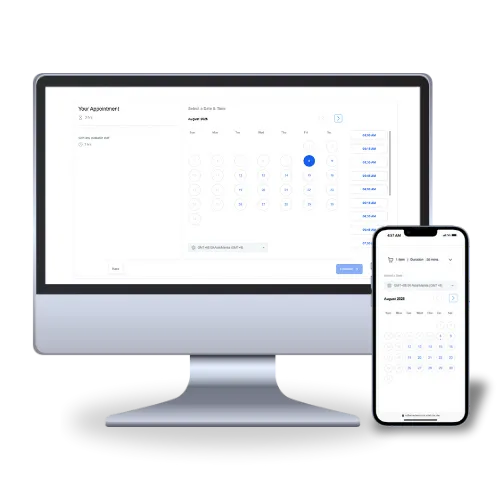
Effortlessly manage bookings, pickups, and returns with Rideshare Network's intuitive scheduling system, built to cut no-shows and keep every vehicle in your fleet accounted for.
The Hours You're Losing
What Scheduling by Hand Actually Costs You
Between answering calls, texting confirmations, and double-checking which car is actually available, scheduling eats up hours you don't have. Rideshare Network's Calendars and Booking system automates and organizes the whole process in one place, with unlimited calendar integration so you can sync bookings across multiple vehicles, drivers, or lot locations without double-booking a single car.
From automatic booking confirmations and reminders to collecting deposits upfront, the system takes the friction out of scheduling for you and your drivers. It plugs straight into your CRM, marketing automation, and SMS tools, so communication stays consistent from the first inquiry to the handoff. Spend less time managing a calendar and more time running your fleet.
Other Related Platforms
Process Walkthrough
A Day in the Life of a Fleet Running on Rideshare Network
Let's walk through a typical day for a rideshare rental fleet using Rideshare Network's Calendars & Booking. See how the platform simplifies scheduling, cuts no-shows, and keeps every car moving.
Step 1

Building a Booking Page That Matches Your Fleet
Log into your dashboard, set up booking pages for weekly rentals, weekend rentals, and multi-car deals, then set durations and buffer times for each.
Result: Drivers can book directly through a sleek, branded page without a single phone call.
Step 2

Syncing Every Vehicle in Real Time
Integrate with your CRM to sync every car and location's calendar as bookings come in.
Result: No double bookings, no two drivers claiming the same car, and availability updates instantly across your whole fleet.
Step 3

Reminders That Fire Themselves
Enable automatic SMS and email reminders so drivers never forget a pickup or a scheduled renewal.
Result: Fewer no-shows and better communication with weekly renters and delivery accounts alike.
Step 4

Handling Changes Without a Phone Call
Send drivers a link to reschedule or cancel their own booking, no back-and-forth required.
Result: Your calendar updates automatically for both your team and the driver.
Step 5

Locking In the Booking With a Deposit
Require a deposit or full payment through Stripe or PayPal before a rental is confirmed.
Result: Secures the driver's commitment and keeps your cash flow steady.
Step 6

Letting Your Booking Data Guide What's Next
Track bookings and cancellations over time, then adjust availability and rates based on what the data shows.
Result: Data-driven decisions that book more cars and cut down on future cancellations.
The Result
After One Month on Rideshare Network
A typical rideshare rental fleet experiences:
Stronger Commitment: Fewer cancellations, thanks to automated reminders and upfront deposits.
Smoother Operations: Real-time calendar syncing and self-service rescheduling cut scheduling errors and save time.
Steadier Cash Flow: The upfront payment system keeps revenue coming in instead of losing it to last-minute cancellations.
Sharper Business Decisions: Booking data helps fine-tune your rates and improve driver retention.
Key Takeaways
Automated reminders boost driver commitment and reduce no-shows.
Upfront payments secure revenue and cut last-minute cancellations.
Seamless syncing across multiple vehicles or locations keeps scheduling organized.
Data-driven decisions improve booking strategy and long-term driver retention.


Simplify Scheduling, Keep Every Car Moving
From weekly rentals to multi-car bookings, Rideshare Network's Calendars & Booking system keeps your fleet organized and your drivers engaged. Ready to turn scheduling chaos into clarity?



The all-in-one marketing platform and done-for-you growth system built for rideshare rental fleets and the car rental companies expanding into rideshare rentals. One team and one platform to keep your fleet booked and your drivers coming back.
Join Our Newsletter
Get rideshare rental marketing tips and strategies sent straight to your inbox.
Join Our Newsletter
Get rideshare rental marketing tips and strategies sent straight to your inbox.
© Copyright Sitefulia 2026. All rights reserved.